A new paid integration between BigSeller and AutoCount Accounting gives eligible Malaysian sellers a defined route for transferring supported marketplace, manual and purchase records into accounting workflows. The connection covers specified order sources and documents while keeping synchronization, financial review and e-Invoice responsibilities clearly separated.
A new integration between BigSeller and AutoCount Accounting gives eligible Malaysian ecommerce sellers a defined way to transfer supported marketplace, manual and purchase records into an accounting workflow. The paid plugin connects BigSeller with AutoCount Accounting 2.1 or 2.2 and currently uses one-click manual synchronization.
The connection is designed for businesses that manage ecommerce activity and accounting records in separate systems. It supports specified order sources and documents while keeping operational processing, financial review and e-Invoice responsibilities clearly divided.
Why Marketplace and Accounting Records Can Drift Apart
Multichannel businesses may process orders in several Seller Centres while their finance teams maintain sales, purchase and inventory records in accounting software. As stores and product ranges expand, staff may need to download reports, compare product codes and recreate documents before financial review can begin.
Product identification is a particular challenge. The same physical item can use different Store SKUs across Shopee, Lazada or TikTok Shop, while an accounting workflow requires a stable internal product relationship. Transferring order totals alone does not resolve those differences.
What the New Connection Covers
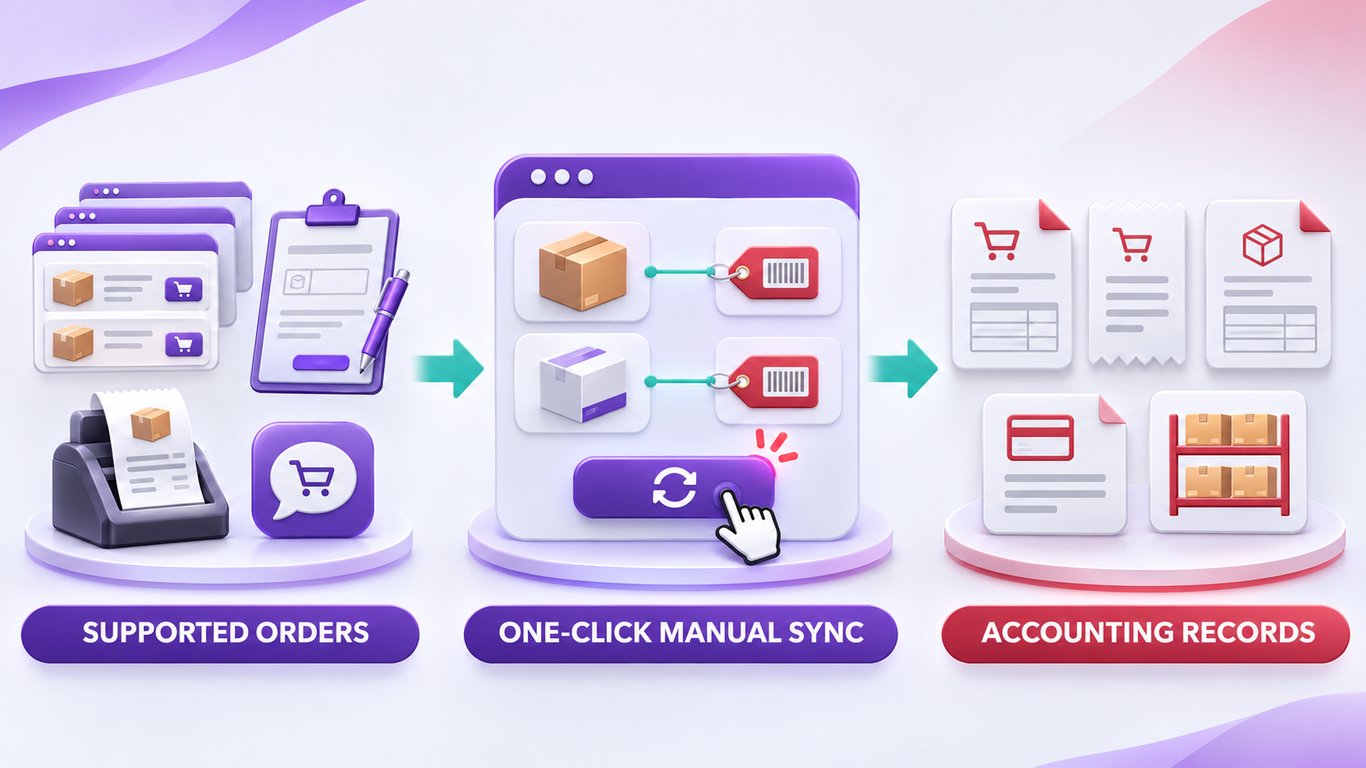
According to the current BigSeller and AutoCount integration guide, supported order sources include Shopee, Lazada, TikTok Shop, manual orders, BigSeller POS orders and Messenger orders. Eligible users trigger synchronization manually with one click rather than through continuous real-time transfer.
After a supported order is synchronized, AutoCount can generate a Sales Invoice and the related Sales Receipt. Issuing the Sales Invoice deducts the corresponding inventory in AutoCount. On the purchasing side, a BigSeller Purchase Order marked as Received can be transferred for Purchase Invoice creation. Issuing that invoice increases the corresponding AutoCount inventory and supports the related supplier payment slip or voucher.
Merchant SKU Mapping is required before synchronization. Missing or incorrect mapping can affect invoice unit prices, and orders created before mapping cannot later be retrieved through the integration. This makes product mapping a data preparation requirement rather than an optional setup step.
What the Integration Does Not Change
BigSeller remains the operating environment for supported stores, orders, product relationships, purchasing and fulfilment data. AutoCount Accounting remains the environment where finance teams review and process the resulting accounting documents and inventory records. The plugin creates a transfer route between the two systems, but it does not make them interchangeable.
The current scope also does not support AutoCount Accounting 2.0, AutoCount Cloud or AutoCount POS. Although BigSeller POS orders are among the eligible order sources, this does not mean the AutoCount POS product is connected. Businesses should also avoid treating the current one-click process as automatic or bidirectional synchronization.
Where e-Invoice Responsibility Sits
Malaysia’s e-Invoice rollout increases the importance of consistent supplier, buyer, item, price and tax information. HASiL describes an e-Invoice as a digital representation of a transaction between a supplier and buyer containing the required transaction data.
The BigSeller plugin transfers supported records into AutoCount Accounting. The subsequent e-Invoice process remains within the configured AutoCount e-Invoice Platform and its connection with LHDN MyInvois. The integration does not by itself submit every transaction to MyInvois or guarantee that a business has met all applicable tax obligations.
What Sellers Should Review Before Connecting
The integration is available to eligible BigSeller VIP users and requires AutoCount Accounting 2.1 or 2.2, with version 2.2 recommended. Setup involves eligibility confirmation, paid-plugin selection, installation and training. Businesses already working with an AutoCount dealer should coordinate installation through that dealer.
Before moving regular order volume through the connection, operations and finance teams should complete Merchant SKU Mapping, test representative sales and purchase records, and review the resulting documents together. This creates a defined handoff between ecommerce operations and accounting without removing the checks required in either system.
About the Author: Charlene VRITIMES